


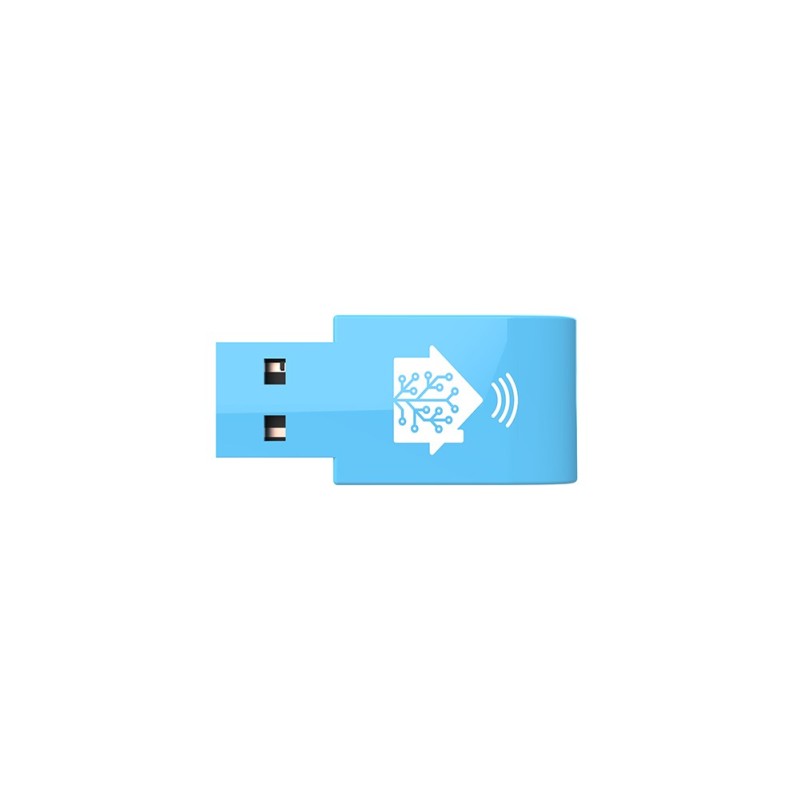
The Home Assistant SkyConnect is designed to be a perfect match for Home Assistant Users. Thedevice provides an easy connection with Zigbee and will support Matter specifications in the futurewith a firmware update from Home Assistant. The product supports Over-The-Wire (OTW) FirmwareUpdate via the USB interface, which allows easy and quick firmware updates for both protocols. The device is an EFR32 Series 2 (Silicon Labs EZSP v8) adapter that will transmit at a power of +20 dBm. The drive supports full-speed USB 2.0 when plugged into the included USB extender. Home Assistant will provide an Addon that will contact the Ember Stacks for Zigbee and Matter. Nabu casa will provide updates to the firmware on a consistent basis that will provide the best user experiencefrom a Zigbee/Matter Adapter. The USB Stick will be Plug and Play, tightly integrated with the ZigbeeHome Automation integration allowing for a beginner-friendly experience. FEATURES: â— 2.4GHz Multi-Protocol USBTransceiver â— Zigbee/Thread/Matter â— USB v2.0 full-speed â— TX power up to +20dBm â— Silabs EFR32MG21 Wireless SoC â— Over-The-Wire (OTW) update support Runs 2 Protocols Simultaneously â— Dual-Protocol operation (Zigbee,Matter) â— Made for Home Assistant,adaptable for any case â— Futureproof Wireless Transceiver â— Low-risk bundle device forGateway The hardware is based on a Silicon Labs EFR32MG21 SoC (the same chip used in Sonoff's ZBDongle-E type), an IEEE 802.15.4 multi-protocol 2.4GHz radio MCU, that is capable of concurrently running both Zigbee 3.0 (EmberZNet/EZSP) and Thread (OpenThread/Spinel inc. Matter/CHIP over Thread) stacks/protocols at the same time by using firmware in RCP RCP (Radio Co-Processor) mode. Direct local serial communication will be done via an onboard USB-to-UART bridge/converter (presumably a chip in Silicon Labs CP210x series). Home Assistant / Nabu Casa team is also working on several add-ons that will also allow both these adapers to concurrently as Zigbee Coordinator and as an OpenThread Border Router (OTBR) for Thread-based Matter/CHIP-compatible devices (communicating locally over a USB-to-serial port using OpenThread RPC Spinel interface over UART. Silabs EmberZNet EZSP interfaces for Zigbee via the zigpy librarieswill also enable support to the ZHA (Zigbee Home Automation) integration out-of-the-box. Specifications: â— Support for Zigbee, Matter, and Thread â— Over-the-wire (OTW) firmware updates â— USB v2.0 full-speed Technical Specifications: â— Supply : 5V DC / up to 150mA â— USB: v2.0 full speed (12Mbps) â— Bridge: USB to UART, Silabs CP2102N Mechanical Specifications: â— Dimensions (LxWxH) : approx. 38.5 x 18x 4,5mm â— Weight: 4g RF Specifications: â— Transceiver: Silabs EFR32MG21 â— Frequency: 2.4GHz â— Antenna: PCB â— TX Power : up to +20dBm â— RX sensitivity : -104dBm (250kbps) â— Protocols: Zigbee, Matter, Thread â— Stack: EmberZNet Serial Protocol(EZSP) Important ote: The SkyConnect will ot run Matter immediately on launch but using Home Assistant the firmware will be updated to enable Matter when the firmware is finished being developed. This is due to Matter ot being released until November and ot all of the information being available. Home Assistant is already working on their Matter implementation.
To purchase a product in our online store, select the product you like and add it to your shopping cart. Next, go to the Cart and click on "Checkout" or "Quick order".
When placing a quick order, write your full name, phone number and e-mail. The manager will call you back and clarify the conditions of the order. Based on the results of the conversation, you will receive a confirmation of the registration of the goods by mail or via SMS. Now it remains only to wait for delivery and enjoy the new purchase.
Placing an order in the standard mode is as follows. Completely fill out the form in successive stages: address, delivery method, payment, information about yourself. We advise you to write in the comments to the order information that will help the courier find you. Click the "Checkout" button.
Pay for purchases in a convenient way. There are 3 payment options available in the online store:
- Cash on pickup or delivery by courier. The specialist will contact you on the day of delivery to clarify the time and prepare the change from any banknote in advance. You sign shipping documents, deposit funds, receive goods and a check.
- Cashless payment for self-delivery or registration in the online store: Visa and MasterCard cards. To pay for the purchase, the system will redirect you to the server of the ASSIST system. Here you need to enter the card number, expiration date and the name of the holder.
- Electronic systems for online ordering: PayPal, WebMoney and Yandex.Money. To make a purchase, the system will redirect you to the payment service page. Here you need to fill out the form according to the instructions.
Save time on ordering. There are 4 delivery options available in the online store:
- Courier delivery works from 9.00 to 19.00. When the goods arrive at the warehouse, the courier service will contact you to clarify the details. The specialist will offer to choose a convenient delivery time and specify the address. Inspect the packaging for integrity and compliance with the specified configuration.
- Pickup from the store. A list of outlets to choose from will appear in the shopping cart. When the order arrives at the warehouse, you will receive a notification. To receive an order, contact the employee in the checkout area and give the number.
- Postamat. When the order arrives at the outlet, a unique code will be sent to your phone or e-mail. The order must be paid at the parcel terminal. Shelf life - 3 days.
- Postal delivery via Russian Post. When the order arrives at the branch, a notice of the parcel will be sent to your address. Before paying, you can evaluate the condition of the box: weight, integrity. You can open the box yourself only after paying for the order. One order can contain no more than 10 items and its value should not exceed 100,000 rubles.
An additional tab to place information about the store, delivery, or any other important content. It will help you answer the buyer's questions and dispel his doubts about the purchase. Use it at your discretion.
You can remove it or bring it back by changing one checkbox in the component's settings. Very comfortably.